Evidence Summary
- Workflow run
crm-opportunity-phase-20260519T123715Z- Opportunity code
2605-0001- Initial phase
SG/ SEGUROS- Updated phase
CI/ Pesquisa/Qualificar/Priorizar- Final state
- Deleted and absent from
DT_ListaOportNeg
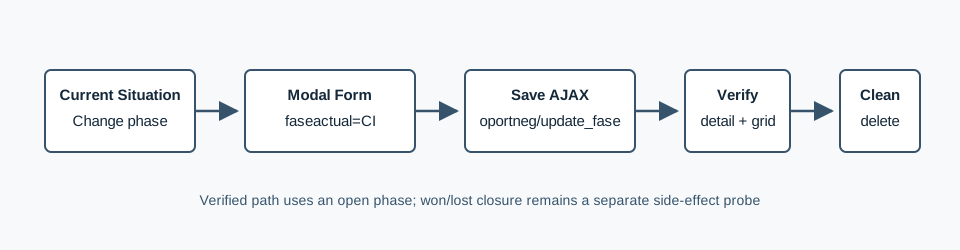
Change Phase
- Open the business opportunity detail page.
- In Current situation, click Change phase / data.
- Select the next Phase C. V..
- Set Expected date order phase.
- Enter a commercial comment when useful.
- Click Save and confirm the warning dialog.
The verified modal posted to POST /ajaxserver with action=oportneg, option=update_fase, id=2605-0001, and serialized form data faseactual=CI&datafimfase=20/05/2026&obs=AI opportunity phase comment 20260519T123715Z. The response returned {"success":true}.
Verify the Phase
The detail page reloaded with the current phase field showing Pesquisa/Qualificar/Priorizar. The opportunity list lookup then returned row 2605-0001 with Fase=[CI] Pesquisa/Qualificar/Priorizar.
This run intentionally used a non-closing phase. Closing variants are covered separately in How to Close a CRM Business Opportunity as Won and How to Close a CRM Business Opportunity as Lost.
Artifacts
raw/playwright/workflows/crm-opportunity-phase-20260519T123715Z.jsonassets/screenshots/crm-opportunity-phase-20260519T123715Z-01-before-phase-change.pngassets/screenshots/crm-opportunity-phase-20260519T123715Z-02-after-phase-change.pngassets/screenshots/crm-opportunity-phase-20260519T123715Z-03-list-after-delete.png