Evidence Summary
- Route
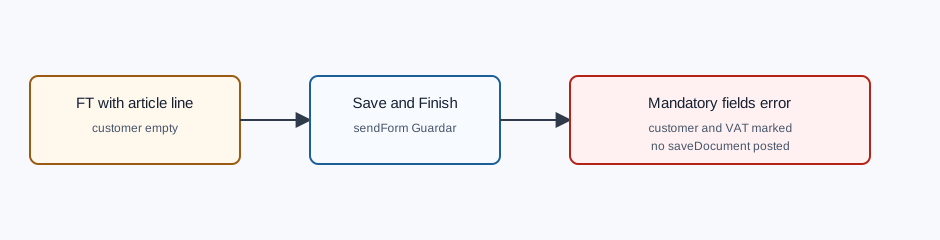
/vendas/ft/create- Article line
AI-DEMO-20260519-021105, quantity1- Missing data
- Customer and VAT number empty
- Visible result
Error There are mandatory fields unfilled- Evidence file
raw/playwright/workflows/latest-sales-invoice-missing-customer-validation.json
What It Means
OfficeGest blocks final save when required header fields are missing. In the verified run, the invoice had one valid article line, but customer and VAT fields were empty, so OfficeGest stayed on the create page and marked those fields with chosen-error.
How to Fix It
- Stay on the invoice create page after the error.
- Select the customer in the header. The customer selection should populate the VAT number and billing details.
- Check that the required customer and VAT fields are no longer highlighted.
- Keep the article line already inserted, or review it if the customer choice changes pricing or fiscal zone.
- Click Save and Finish again only after the required header fields are filled.
Verified Behavior
| Check | Observed result |
|---|---|
| Before save | Line grid had one article line; customer and VAT number were empty. |
| After save attempt | Still on /vendas/ft/create with title OG - Invoice [FT]. |
| User message | Visible toast text was Error There are mandatory fields unfilled. |
| Field marking | #doc_CodTerc and #doc_NContrib had chosen-error. |
| Final save request | No saveDocument request was submitted. |
Raw evidence: raw/playwright/workflows/sales-invoice-missing-customer-validation-20260519T184220Z.json. Screenshots: assets/screenshots/sales-invoice-missing-customer-validation-20260519T184220Z-01-line-without-customer-before-save.png and assets/screenshots/sales-invoice-missing-customer-validation-20260519T184220Z-02-mandatory-fields-error.png.