Evidence Summary
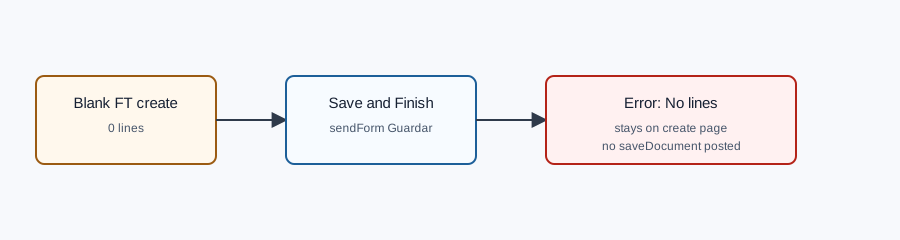
- Route
/vendas/ft/create- Page title
OG - Invoice [FT]- Attempted action
- Save and Finish on an invoice with
0lines - Visible result
ErrorNo lines- Evidence file
raw/playwright/workflows/latest-sales-invoice-no-lines-validation.json
What It Means
OfficeGest blocks final save when an FT invoice has no document lines. The verified attempt stayed on the create page, showed the error toast, and did not send the final saveDocument request, so no invoice number was created.
How to Fix It
- Stay on the invoice create page after the error.
- Select the customer if it is not already selected.
- Add at least one article line in the document line area.
- Confirm the line grid shows the article, quantity, VAT, and totals.
- Use Save and Finish again only after the line grid is no longer empty.
Verified Behavior
| Check | Observed result |
|---|---|
| Before save | Customer empty, article search empty, line grid row count 0. |
| After save attempt | Still on /vendas/ft/create with title OG - Invoice [FT]. |
| User message | Visible toast text was ErrorNo lines. |
| Final save request | No saveDocument request was submitted. |
| Backend calls | OfficeGest still recalculated an empty line table through listaTabDocumento, create_document&option=calcular_totais, and checkProfitMargins. |
Raw evidence: raw/playwright/workflows/sales-invoice-no-lines-validation-20260519T183637Z.json. Screenshots: assets/screenshots/sales-invoice-no-lines-validation-20260519T183637Z-01-blank-ft-before-save.png and assets/screenshots/sales-invoice-no-lines-validation-20260519T183637Z-02-no-lines-error.png.