Evidence Summary
- Workflow run
crm-opportunity-observations-20260519T123355Z- Opportunity code
2605-0001- Editor
#Obswith save button#saveObs- Save endpoint
UpdateOporNeg/campo=Obs- Final state
- Deleted and absent from
DT_ListaOportNeg
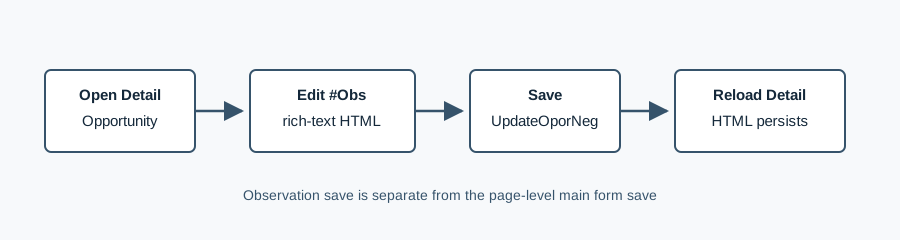
Edit Observations
- Open the business opportunity detail page.
- Use the Observations rich-text editor on the detail page.
- Apply simple formatting such as bold text or lists when useful.
- Click the small Save button in the observations card.
This observations card is separate from the page-level Save button. The verified observation save called UpdateOporNeg with id=2605-0001, campo=Obs, and an HTML value containing a paragraph, bold text, and a list.
Verify Persistence
The verified workflow reloaded /crm/oportunidadesnegocios/view/MjYwNS0wMDAx after the save. The #Obs editor returned the edited HTML, including AI edited opportunity observation 20260519T123355Z and the list item Verified via UpdateOporNeg.
Artifacts
raw/playwright/workflows/crm-opportunity-observations-20260519T123355Z.jsonassets/screenshots/crm-opportunity-observations-20260519T123355Z-01-before-observation-edit.pngassets/screenshots/crm-opportunity-observations-20260519T123355Z-02-after-observation-edit.pngassets/screenshots/crm-opportunity-observations-20260519T123355Z-03-list-after-delete.png